
How AI Agents Improve Business Operations, and Where They Fall Short
AI Agents7 min readOctober 4, 2026

How AI Agents Improve Business Operations, and Where They Fall Short

AI agents improve operations by taking over the in-between work: reading requests, checking several systems and moving cases forward. The gains are real in narrow, measurable work, and most companies are still early.

How do AI agents improve business operations?

An AI agent reads an incoming request, looks up what it needs across your systems, takes the next allowed step and hands exceptions to a person. That removes the copying, checking and chasing that slows queues such as support cases, orders and invoices. Measured gains so far come from narrow tasks: support staff with an AI assistant resolved 14 to 15% more issues per hour in a large published study.

01

The short answer: agents take over the work between your systems

AI agents improve business operations by handling the in-between work that people do today: reading a request, checking two or three systems, deciding the next step and passing the case on. The clearest measured gains come from narrow, repeatable work with a clear finish line, and most companies have not yet scaled agents in any single function.

That second point matters as much as the first. In McKinsey's 2025 global survey, 62% of organisations were at least experimenting with AI agents, but no more than 10% had scaled them in any one business function. The opportunity is real. So is the gap between a demo and a queue that runs every day.

This guide covers where agents fit in operations, what the adoption and productivity data actually says, and how to roll one out without becoming part of the cancelled-project statistics.

02

What an agent adds to an operations team

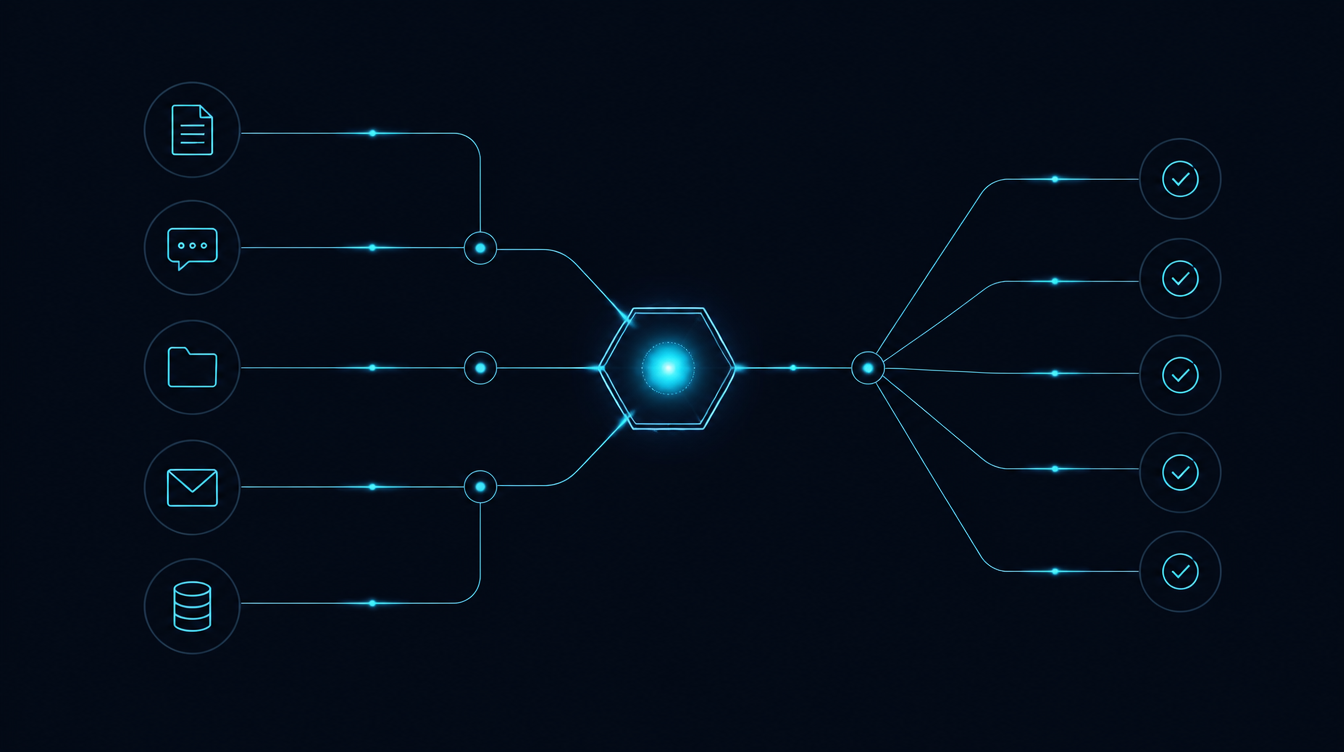
An agent carries one task from the inbox through a review gate to the systems that finish it.

Most operations work is not hard. It is fragmented. A delayed-order email means opening the order system, checking the carrier's tracking page, reading the customer's history and then writing a reply or raising a claim. Each step takes a minute, and the minutes add up across hundreds of cases.

A rule-based workflow handles the cases that look exactly as expected. An AI agent handles the ones that don't: it reads the free-text email, works out which order is meant, calls the tools it has been given and either completes the step or prepares the case for a person with the evidence attached.

That is the practical definition worth using: software that pursues a goal across several steps and systems, inside permissions you set. If you want the wider picture of rules, AI steps and agents side by side, our guide What is AI automation for business? covers it.

03

Five places agents improve day-to-day operations

Most cases pass straight through the rules; the agent picks up the irregular ones and sends them back on track, with a final human checkpoint.

These are the queues where agents tend to pay off first, because volume is high, the data is reachable and a wrong answer can be caught before it does damage.

  • Customer support cases: the agent answers status and policy questions from live data, drafts replies for the rest and routes refunds above a threshold to a person. Gartner predicted in March 2025 that agentic AI will resolve 80% of common customer service issues without human intervention by 2029. Treat that as a forecast, not a result.
  • Order and delivery exceptions: reading carrier updates, spotting orders that will miss their date and opening the claim or the customer message before anyone asks.
  • Back-office documents: matching invoices to purchase orders and receipts, flagging mismatches with the reason, and preparing the entry for approval.
  • IT and internal service desk: password and access requests, device issues, and triage of tickets to the right team. In McKinsey's 2025 survey, IT was among the functions where agent use was most common.
  • Internal knowledge requests: answering staff questions from policies, contracts and past tickets, with the source document linked so the answer can be checked.

In each case the agent does not replace the process owner. It removes the lookup and hand-off work, and the person spends their time on the cases that need judgement.

04

Where companies actually are: most functions report no agent use yet

The adoption data is less dramatic than the headlines. The 2026 Stanford AI Index charted McKinsey's 2025 survey by business function, and in every function about two-thirds or more of respondents reported no agent use at all. Scaled use was in the single digits for nearly every function.

The functions closest to operations sit in the middle: 71% of respondents reported no agent use in service operations and 88% in supply chain and inventory management. IT and knowledge management were the most active.

The technology sector is the exception worth watching. There, scaled agent use reached 24% in software engineering, 22% in IT and 21% in service operations. Those are the teams with clean data, existing APIs and staff who can build and monitor the tooling, which is a fair preview of what other sectors need before agents stick.

Respondents reporting no AI agent use, by business function, 2025 (%)

Source: [Stanford HAI: AI Index Report 2026, Chapter 4 Economy](https://hai.stanford.edu/assets/files/ai_index_report_2026_chapter_4_economy.pdf), Figure 4.3.7, April 2026, charting the McKinsey & Company 2025 survey. Independent survey data.

05

Adoption is about to jump, and so is the failure rate

Executives expect that picture to change fast. In the 2026 Gartner CIO and Technology Executive Survey, cited in Gartner's first Hype Cycle for Agentic AI (April 2026), 17% of organisations had deployed AI agents, 42% expected to within 12 months and another 22% in the year after. Gartner placed agentic AI at the Peak of Inflated Expectations, the point where vendor claims run ahead of what works reliably in production.

The same firm warned in June 2025 that over 40% of agentic AI projects will be cancelled by the end of 2027 because of rising costs, unclear business value or inadequate risk controls.

Both numbers can be true at once. Many companies will try agents in the next two years, and the ones that keep them will be those that picked a narrow job, measured it against a baseline and kept a person accountable for the outcome.

AI agent deployment status and plans, 2026 Gartner CIO survey (%)

Source: [Gartner: 2026 Hype Cycle for Agentic AI](https://www.gartner.com/en/articles/hype-cycle-for-agentic-ai), April 2026, citing the 2026 Gartner CIO and Technology Executive Survey. Analyst survey.

06

What the evidence says about the gains

The strongest evidence so far comes from AI that assists people inside a defined task, not from fully autonomous agents. It still tells you where the value sits.

  • Customer support: in a study of 5,179 support agents published in the Quarterly Journal of Economics (May 2025), access to an AI assistant raised issues resolved per hour by 14 to 15% on average. The biggest gains went to newer and less experienced staff.
  • Software development: developers using GitHub Copilot completed 26% more pull requests (Cui et al., 2025, as summarised by the AI Index).
  • Judgement-heavy work: a METR study found experienced open-source developers were 19% slower with AI assistance, although the team could not replicate the result in a later study.

The AI Index's own conclusion is the useful one: gains are strongest when work can be split into well-defined, repeatable tasks with clear quality monitoring. That describes a good operations queue almost exactly. It also explains why vague, open-ended agent projects struggle.

07

How to roll out an agent in operations

The design choice that decides most outcomes is how much the agent may do on its own. The table compares three operating modes. For a first agent in a live operations queue, we would choose the supervised mode: the agent completes routine cases end to end and a person approves anything above a set value or below a confidence threshold.

A practical sequence

  • Pick one queue with steady volume and a clear definition of done, and record today's baseline: handling time, backlog and error rate.
  • Map the systems and permissions the agent needs, and give it read access first. Write actions come later, one at a time.
  • Run in assist mode for a few weeks. The agent drafts, people send, and you compare its proposals with what staff actually did.
  • Move to supervised mode for the case types where its proposals were consistently right, with thresholds that send everything else to a person.
  • Log every action with the inputs it used, and review a sample weekly. This is your audit trail and your early warning.

Only consider autonomous mode for low-value, easily reversed actions after months of clean logs.

Three ways to run an AI agent in operations
AssistSupervisedAutonomous
What the agent doesDrafts and suggests; a person actsCompletes routine cases; a person approves exceptionsActs alone within its permissions
Risk if it is wrongLow, a person catches itContained by thresholdsHigher, errors reach customers or ledgers
Oversight effortHigh, every case is reviewedModerate, exceptions and weekly samplesLow day to day, needs strong monitoring
Speed gainModestLarge on routine casesLargest, if accurate
Good first useReplies, summaries, data lookupsOrder exceptions, invoice matching, IT requestsLow-value, reversible actions only

Source: Raanzlr editorial framework, October 2026

08

What this means for business automation

For most companies the right first step is one supervised agent on one busy queue, connected to the systems the work already lives in. Raanzlr builds AI agents that read requests, act through your existing tools and hand exceptions to the right person, and we pair them with workflow automation for the predictable path. Where an agent needs data from your CRM, ERP or helpdesk, we build the CRM and API integrations with read-first permissions, and a dashboard that tracks handling time, approvals and errors against your baseline. We work with operations teams in the United States, Canada and the UAE.

// FAQ

What is the difference between an AI agent and workflow automation?
A workflow follows steps you defined in advance and stops when the input does not match. An AI agent can read unstructured input, decide which allowed step comes next and call the right system to do it. In practice the two work together: the workflow carries the predictable path, and the agent handles the cases that would otherwise land in someone's inbox.
Which operations should a company give to an AI agent first?
Start with one queue that has steady volume, a clear definition of done and data the agent can reach, such as order status questions, invoice matching or internal IT requests. Avoid work where a single wrong action is expensive or hard to undo until the agent has a record of accurate decisions under supervision.
Why do so many agent projects fail?
Gartner predicted in June 2025 that over 40% of agentic AI projects will be cancelled by the end of 2027, citing rising costs, unclear business value and weak risk controls. The common pattern behind all three is starting too broad: an agent with vague goals, wide permissions and no baseline to measure against.

// Want to apply this?

Let's discuss how this applies to your business.

A senior engineer reviews every inquiry and responds within one business day.

Start a Conversation