CRM Development for Growing Companies: Configure, Extend or Build?
Custom Software7 min readNovember 15, 2026

CRM Development for Growing Companies: Configure, Extend or Build?

Most growing companies get the best fit from a standard CRM configured to their sales process, with custom integrations around it. A fully custom CRM pays off only when the workflow is unusual or seat licences outgrow the cost of owning software.

Should a growing company build a custom CRM or use an existing one?

Most should start with an existing CRM configured to their sales process and add custom integrations for the systems it must talk to, such as accounting and WhatsApp. Building a full custom CRM makes sense when the customer workflow is unusual or central to the product, or when per-user licence costs at your headcount exceed the cost of owning and maintaining software.

01

The short answer: configure first, then build around the CRM

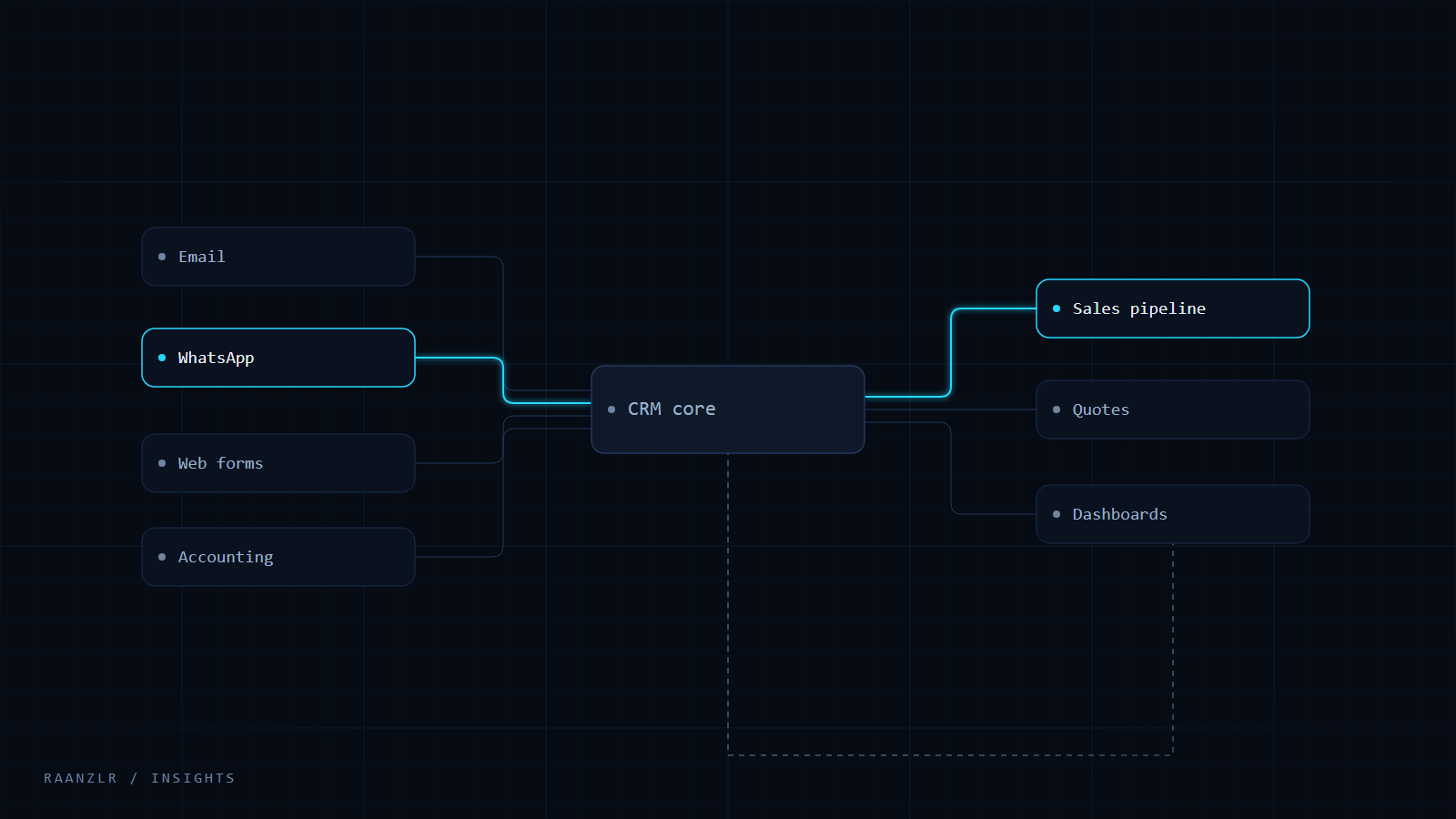
Most growing companies should not build a CRM from scratch. The better route is usually a standard CRM configured to your sales process, plus custom integrations and screens for the parts no product handles well, such as WhatsApp conversations or quotes that have to match your accounting system.

A fully custom CRM fits a narrower set of cases. One is when your customer workflow is unusual enough, or close enough to what you sell, that you would be fighting any standard tool. The other is when per-user licence costs at your headcount grow past the cost of owning and running the software yourself.

The sections below show how to tell which case you are in and what each route costs as the team grows.

02

Signs your CRM setup is holding the team back

A CRM rarely fails on the day you buy it. It fails slowly, as the team grows and the real work starts happening around it.

Freshworks surveyed 600 US business owners and professionals in April 2024 and found that 71% of businesses with 500 or fewer employees already use a CRM. Respondents named training and user adoption (25%) and integration with other tools (19%) as their two biggest struggles. Freshworks sells CRM software, so these are vendor-reported figures, but they match what growing teams tend to describe.

Watch for these signs:

  • Reps keep their real pipeline in a spreadsheet and update the CRM just before the weekly meeting.
  • The same customer sits in the CRM and the accounting system with different details, and their WhatsApp chats appear in neither.
  • Quotes are built outside the CRM, so nobody can see which offers went out or at what price.
  • Managers export data every week to rebuild the report they actually use.
  • New hires need weeks to learn which fields matter and which to ignore.

The cost shows up in selling time. Salesforce's State of Sales research, based on a survey of 4,050 sales professionals in August and September 2025 and published in February 2026, found that the average seller spends 40% of their time selling. The rest goes to other tasks, including admin and meeting preparation, and a CRM that fits badly adds to that pile.

03

Three ways to get a CRM that fits your process

Configuring a standard CRM is the fastest and cheapest way to start. Building a full custom CRM gives the most control, but you carry the maintenance for as long as you use it. The middle route keeps a standard CRM as the core and adds custom integrations, automations and screens around it.

For a company of roughly 10 to 100 users with a fairly standard sales process, the middle route is usually the right call, which is why it is highlighted. You keep the vendor's security work, mobile apps and updates, and you only own code for the parts that are specific to how you sell. If you outgrow the CRM later, the integrations and the cleaned-up data model make the move easier.

Three routes to a CRM that fits
Configure a standard CRMStandard CRM + custom extensionsFully custom CRM
Upfront costLow: licences and setup; some vendors charge onboarding feesMedium: licences plus a defined integration projectHigh: full design and build
Ongoing costPer-user licences that rise with headcountLicences plus upkeep of your own integrationsHosting, support and development you fund directly
Time to first useDays to weeksWeeksMonths
Fit to your processYou adapt to the productProduct at the core, your process at the edgesBuilt around your process
Where data livesThe vendor's cloud and regionsThe vendor's cloud, plus systems you chooseWherever you host it
Best forSmall teams with a common sales processGrowing teams with several systems to connectCompanies whose customer workflow is part of the product

Source: Raanzlr analysis. Licence and onboarding terms from the Salesforce and HubSpot pricing pages, read 15 November 2026.

04

What seat licences cost as the team grows

Licence costs scale with users, and that is the number that shifts the build-or-buy math over time. Salesforce publishes US list prices for Sales Cloud: Starter Suite at $25 per user per month, Pro Suite at $100 and the Core edition at $195, with Pro Suite and above billed annually. The Advanced and Max editions list at $395 and $550.

The chart multiplies those list prices out over a year. At 50 users, Pro Suite comes to $60,000 a year and Core to $117,000, before add-ons. Negotiated prices are often lower than list, so treat these figures as a ceiling for budgeting rather than a quote.

HubSpot uses a similar per-seat model and adds one-time onboarding fees of $1,500 for Sales Hub Professional and $3,500 for Enterprise, according to its pricing page. Its free tier covers up to two users.

Neither vendor is unusually expensive. Per-user pricing is fair for a 10-person team and can become one of the largest lines in the sales budget at 100 users. That is the point to compare it with the cost of owning software, which has its own running costs: hosting, security updates and a developer you can call when something breaks.

Salesforce Sales Cloud: annual list-price licence cost by number of users (US$ thousands)

Source: Salesforce, Sales Cloud pricing, US list prices read 15 November 2026. Annual totals calculated by Raanzlr (price per user per month × users × 12), before discounts and add-ons.

05

What custom CRM work usually covers

Custom work on a CRM project rarely means writing a database from zero. Most of it sits between the CRM and the rest of the business.

Integrations

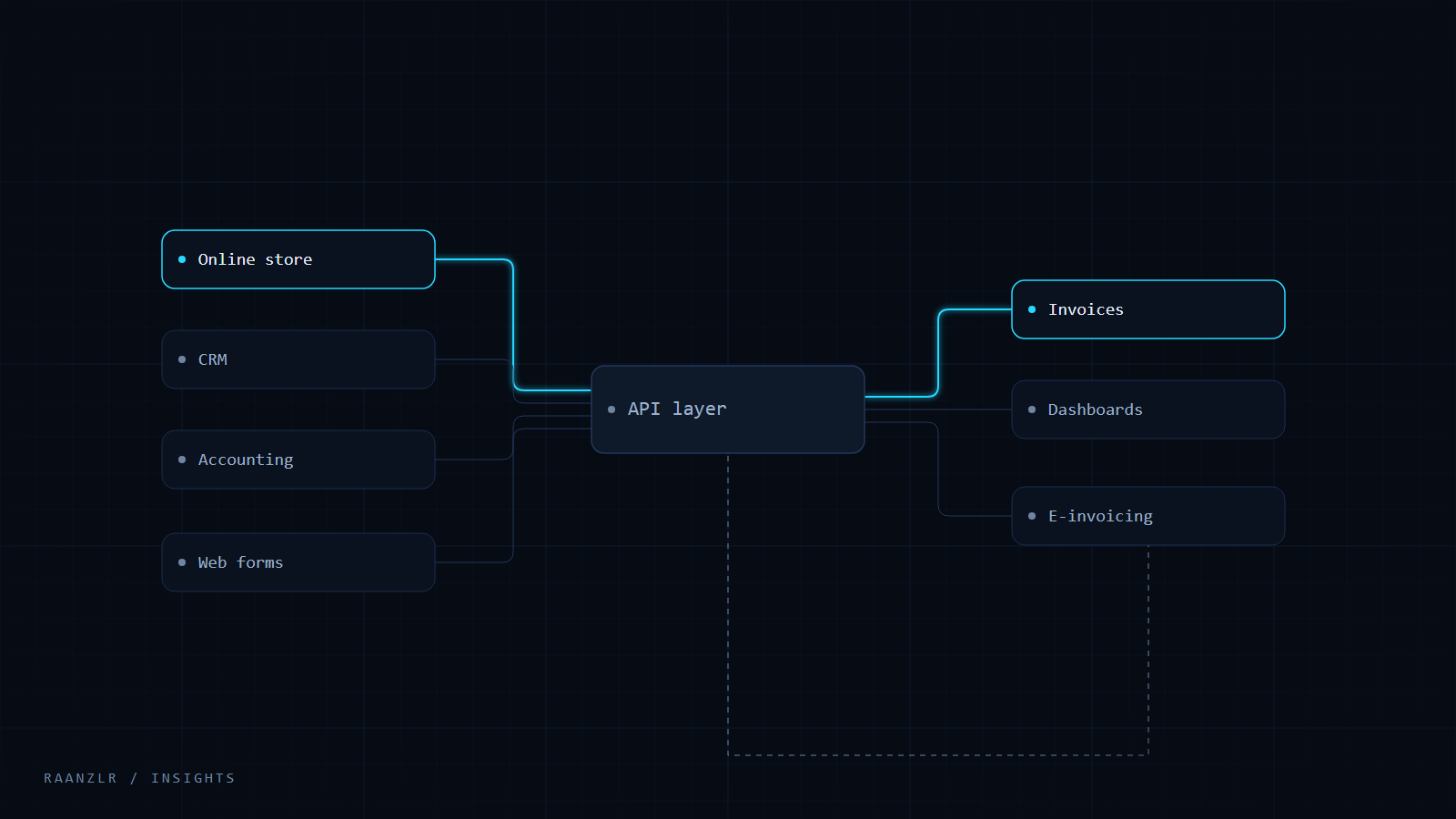
Two-way sync with accounting or ERP, so invoices and payment status appear on the customer record. WhatsApp Business conversations logged against the right contact, which matters in markets where most customer contact happens in chat. Website and ad forms that create leads with their source attached.

Data model and rules

Custom objects for things a standard CRM does not track out of the box, such as projects, shipments or properties. Deduplication rules and one agreed definition of a customer. Approval steps for discounts above a set level.

Screens and reporting

Simpler mobile views for field teams, Arabic right-to-left interfaces where the vendor's support is thin, and dashboards built around the decisions managers actually make each week.

Automation and AI

Lead routing, follow-up reminders and quote generation. AI agents can draft replies, summarise calls and fill in fields, but they only work as well as the data under them, which is why integration and data rules usually come first.

06

Data, hosting and the rules in Saudi Arabia

A CRM holds names, phone numbers and conversation history, which makes it a store of personal data under most privacy laws. In Saudi Arabia, the Personal Data Protection Law was issued on 16 September 2021 and is overseen by the Saudi Data and AI Authority (SDAIA). SDAIA's guidance says the law also applies when an entity outside the Kingdom processes the personal data of people living there, and a separate SDAIA regulation covers transfers of personal data outside Saudi Arabia.

In practice, four questions belong in any CRM decision for a Saudi or Gulf company:

  • Which region will the vendor host our data in, and can we choose it?
  • Which integrations copy customer data into other services, and where are those hosted?
  • Can we export the full record, including conversation history and attachments, in a usable format?
  • Who can see which fields, and is that access logged?

Some standard CRMs answer all four well, so ask for the answers in writing before you sign. A hybrid or custom setup gives you more say over where integration data flows. This is general information, not legal advice, so confirm current requirements with counsel.

07

How to scope a CRM project without overbuilding

Most CRM overspending comes from building features before anyone has used the basics. A staged plan keeps the scope honest:

  • Map the pipeline you actually run: the stages, who moves a deal between them, and what has to be true at each step.
  • List every system that holds customer data today and decide which one is the source of truth for each field.
  • Launch the standard CRM for one team with only the fields they need, and check whether they use it daily.
  • Add integrations in order of manual hours saved, starting with the one people complain about most.
  • Review licence costs at each headcount milestone and compare them with the cost of owning the parts you have customised.

Adoption deserves the most attention. Training and adoption topped the list of struggles in the Freshworks survey, and a CRM that people avoid costs you twice: once for the software and again for the spreadsheets running beside it.

08

What this means for business automation

A CRM is where most sales and service automation starts, because it holds the customer record that every workflow reads from. Raanzlr can configure a standard CRM around your pipeline and build the CRM and API integrations that connect it to accounting, WhatsApp and your web forms. On top of that we can add workflow automation for lead routing, follow-ups and quotes, and dashboards that managers can act on. Where a company needs its own system, we can design and build a custom CRM as part of a web platform. For companies in Saudi Arabia and the UAE, that work can include Arabic interfaces and hosting choices that fit local data rules. The first step is a short scoping exercise to decide what to buy and what to build.

// FAQ

How much does custom CRM development cost?
It depends far more on scope than on the CRM itself. Connecting a standard CRM to one or two systems is a contained project. A fully custom CRM with its own data model, mobile screens and reporting is a larger build that also needs ongoing upkeep. A fair comparison puts the build and maintenance cost next to several years of seat licences at the headcount you expect.
Should a small business build its own CRM?
Rarely. Freshworks' 2024 survey found that 71% of businesses with 500 or fewer employees already use a CRM, and for most of them a standard product, configured well, is enough. Building your own makes sense when the customer workflow is unusual or part of what you sell, or when licence costs at your size clearly exceed the cost of owning the software.
Can a CRM work with WhatsApp?
Yes, through the WhatsApp Business Platform and an integration that logs each conversation against the right contact. Some CRMs offer this through add-ons or marketplace apps, and others need a custom connector. Check whether messages sync in both directions, whether attachments are kept, and who keeps the conversation history if you change CRM vendors later.
What is the difference between CRM integration and CRM development?
Integration connects an existing CRM to other systems, such as accounting, email or your website, so data moves between them without retyping. Development changes the CRM itself: new objects, screens and rules, or a whole custom system. Most growing companies need integration first and a limited amount of development after that, once the team is using the basics every day.

// Want to apply this?

Let's discuss how this applies to your business.

A senior engineer reviews every inquiry and responds within one business day.

Start a Conversation